PHOTO / PDF TO EXCEL
Free image & PDF to Excel converter.
Read table photos and English handwritten bills. Review, edit and download.
- 1 Upload
- 2 Review
- 3 Download
Your original
EXAMPLE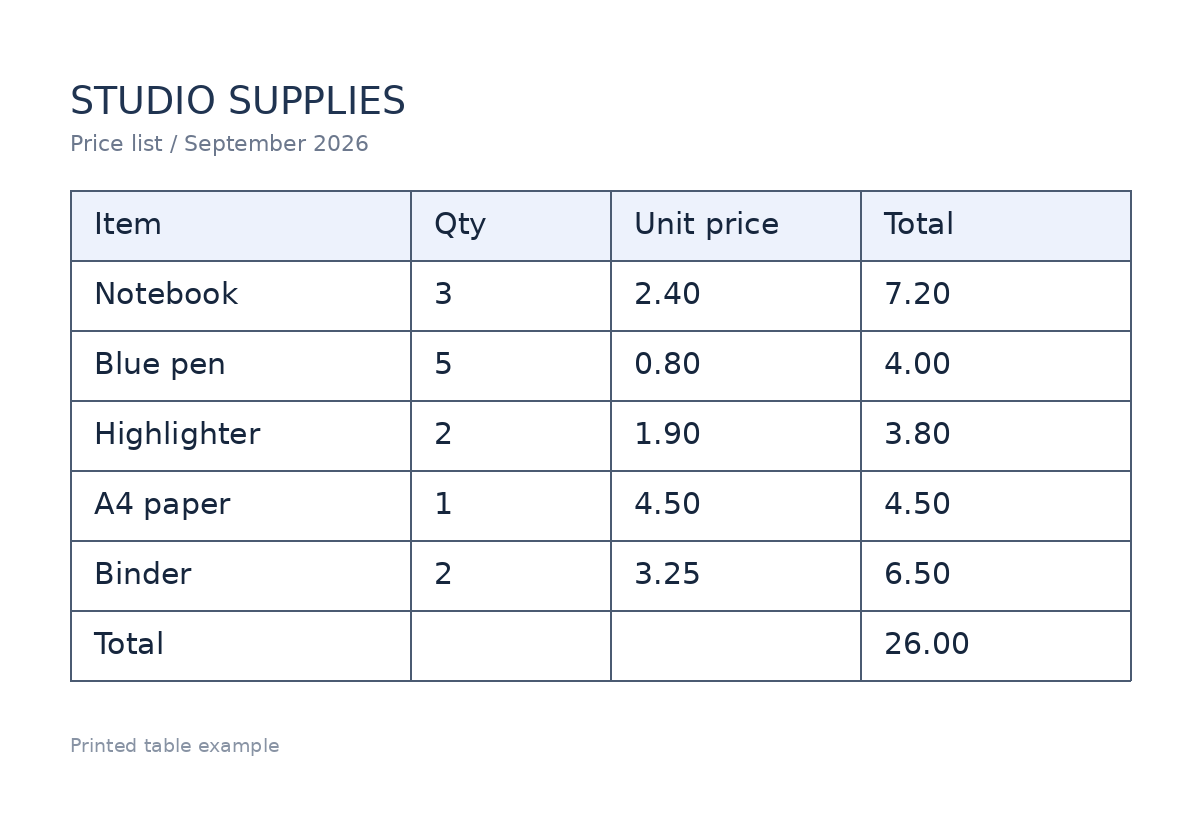
Your spreadsheet
| A | B | C | D | |
|---|---|---|---|---|
| 1 | ||||
| 2 | ||||
| 3 | ||||
| 4 | ||||
| 5 | ||||
| 6 | ||||
| 7 |
7 rows · 4 columns · 1 to review
GET A CLEANER SPREADSHEET
Turn table photos, scans and bills into editable data.
TableFix reads rows from a JPG, PNG or WebP image, or from a page of a scanned PDF. Compare the result beside the original, fix the columns and download an Excel (.xlsx) or CSV file. Processing happens in your browser; your document image is not sent to a conversion server.
Before you convert
Is image to Excel conversion free?
Yes. Printed-table reading, English handwriting reading, editing and Excel or CSV export are free. You do not need an account, a ChatGPT subscription or an API key.
Can I convert a handwritten receipt or bill?
Select Handwritten bill, choose a clear photo and click Read bill. The reader supports English handwriting and can miss or misread names, dates and amounts. Check every value and fill missing cells before using the spreadsheet. Printed English tables usually need fewer corrections.
Can I turn a PDF table into Excel?
Yes. Open the PDF, select the page you want, crop around the table and extract it. TableFix reads one page at a time rather than merging a whole PDF automatically.
Why are some values highlighted in amber?
Amber cells need review. Select a cell to see the corresponding part of your original, correct it or mark it checked. Every recognized handwritten value is flagged for review, even when it looks clear.
What if the columns are wrong?
Drag the blue dividers between columns, or change the Columns number, then click Apply. Applying rebuilds the table from the recognized text and can replace edits, so arrange the columns before correcting individual cells.
Will my image be uploaded or saved?
The photo or PDF you choose is opened and processed on your device. First use downloads the reader files. TableFix does not upload your document image or keep a server copy of your spreadsheet. Download your result before closing the page.